

Automation Specialist
2 Weeks
Data Extraction
n8n, Gmail API, JavaScript, Google Sheets
Some of the most important business conversations happen on platforms that were never designed to preserve them.
In this case, the client relied heavily on Upwork messaging for operational communication, project discussions, and business decisions. The challenge was that Upwork provides no official API for exporting conversation history, creating a growing compliance and knowledge-management risk.
Without a reliable archive, conversations could not be easily searched, backed up, analyzed, or produced when needed. The only external trace of those discussions existed as notification emails arriving in a shared Gmail inbox.
The objective was to transform those notifications into a structured, searchable archive that could preserve valuable business knowledge while eliminating the risks associated with inaccessible communication history.
Before designing the workflow, I analyzed fifty notification emails to understand every structural variation present in the notification stream. This included differences in HTML structure, sender formatting, timestamps, message layouts, and edge cases that could impact extraction accuracy.
Rather than designing against a small sample of clean emails, I built the solution around the full range of formats the inbox actually contained. That audit became the specification for the extraction engine.
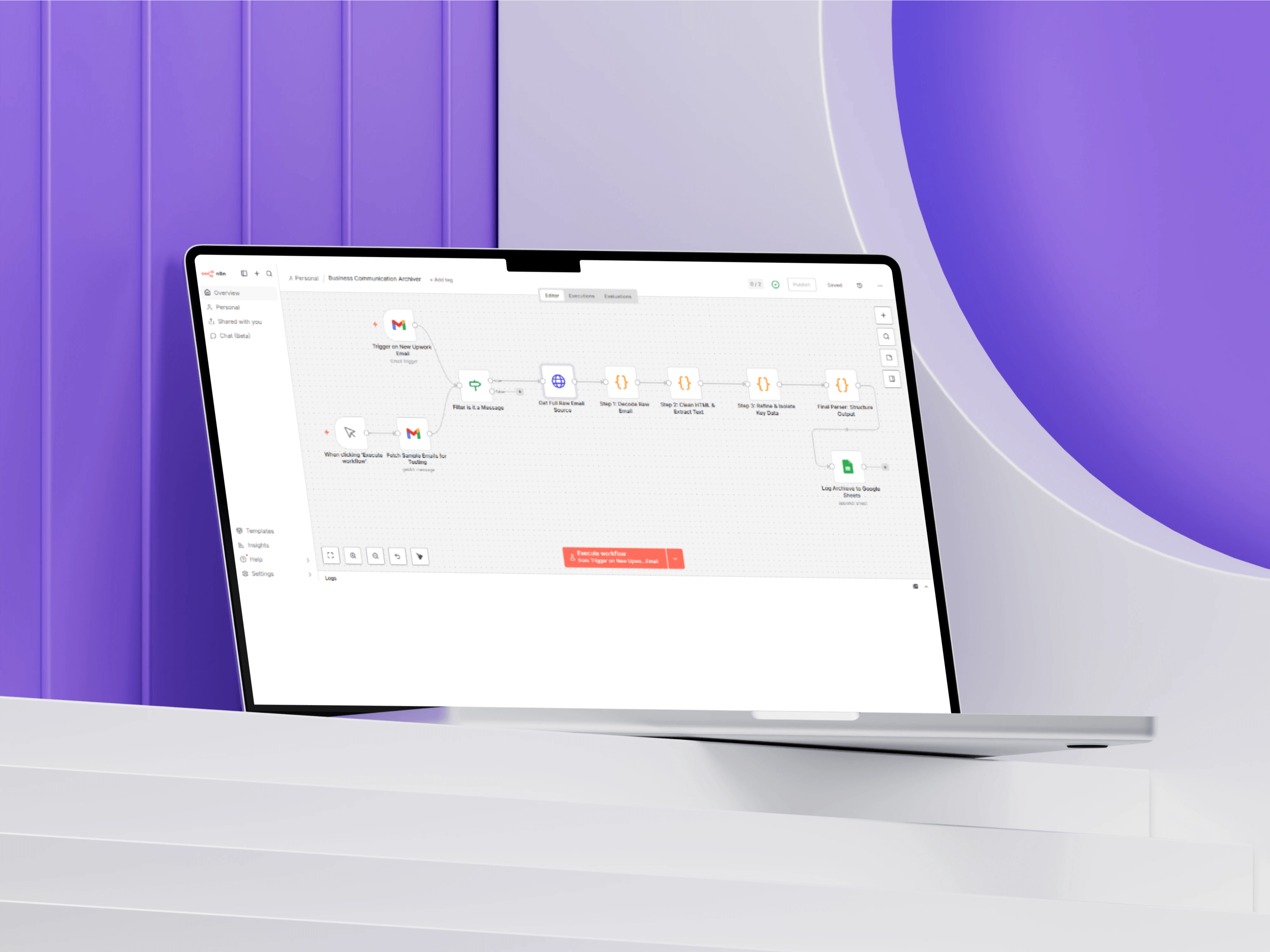
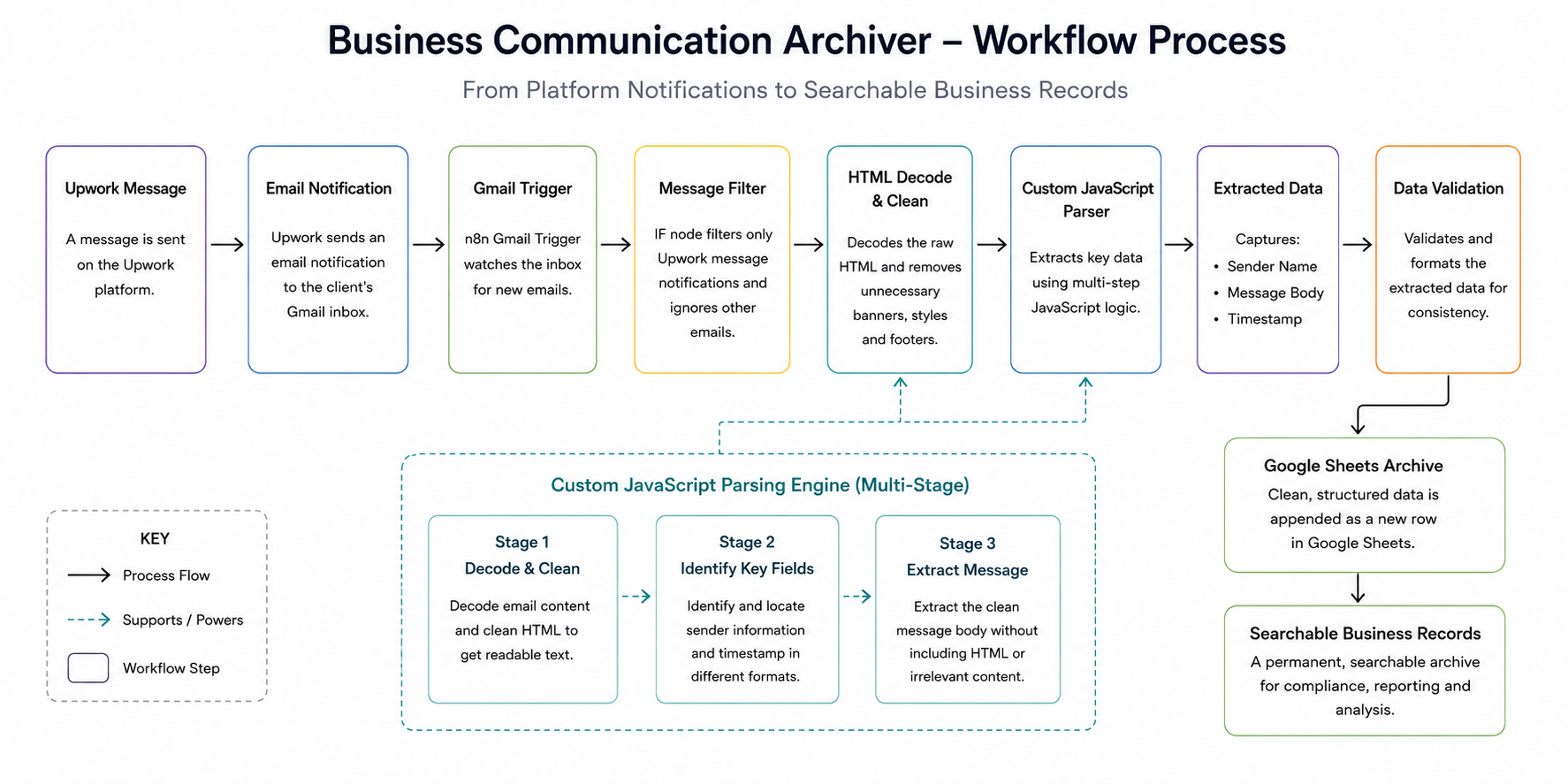
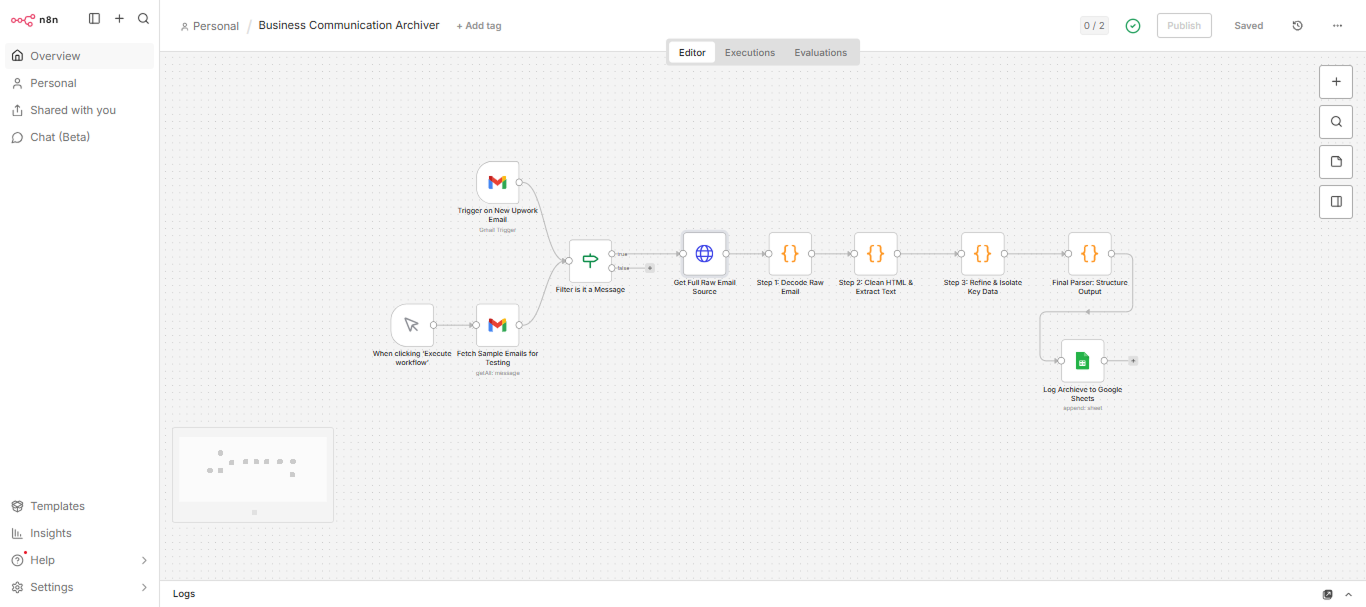
The workflow begins with a Gmail Trigger that continuously monitors the inbox for new messages. An IF node then filters incoming emails to ensure only genuine Upwork message notifications are processed, preventing unrelated emails and system alerts from entering the archive.
This approach allowed the client to use a shared inbox without introducing archive contamination from unrelated business correspondence.
The core of the solution is a custom extraction engine built with JavaScript inside n8n Code nodes.
Rather than relying on a single parsing function, I designed a three-stage extraction architecture:
Stage 1 — Decoding & Cleaning
Removes unnecessary HTML elements, banners, styles, and formatting noise while normalizing the email content.
Stage 2 — Identification
Locates sender information and timestamps regardless of where they appear within the notification structure.
Stage 3 — Content Extraction
Extracts the clean message body while excluding surrounding markup and irrelevant content.
Separating these responsibilities into independent stages simplified testing, troubleshooting, and future maintenance whenever new email variations appeared.
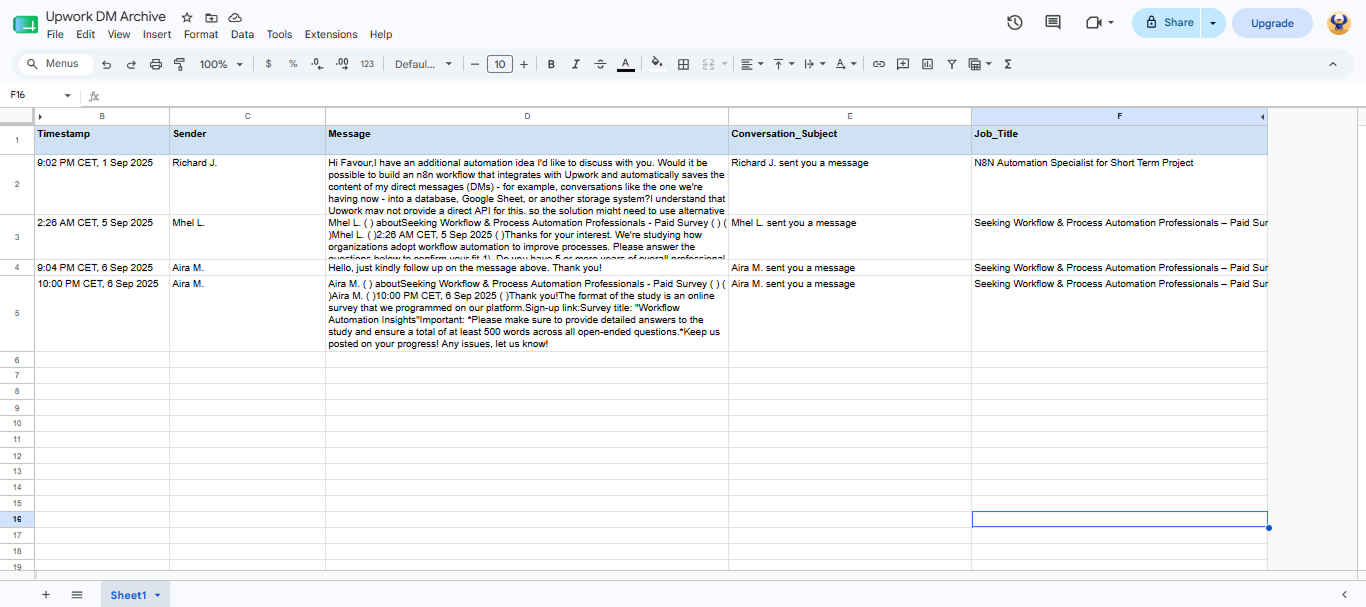
Once processed, the extracted communication data is automatically written into Google Sheets using a standardized schema containing sender information, timestamps, message content, and processing references.
The resulting archive is immediately searchable and accessible to non-technical stakeholders without requiring additional tools or training.
The most significant project constraint was the absence of an official API for exporting conversation history.
Rather than relying on unsupported scraping methods or manual exports, I designed the solution around email notifications, which provided the only reliable and compliant source of communication data. This allowed the client to preserve critical conversations without depending on platform-specific integrations.
Pre-built email parsing tools perform well when source formats remain consistent. These notification emails were not consistent.
HTML structures varied based on message type, sender configuration, and content length. A generic parser would have handled standard cases while introducing the risk of silent failures and missing records.
The custom JavaScript engine was built specifically around the patterns identified during the audit, ensuring reliable extraction across all known format variations.
A single parsing function would have been faster to build but significantly harder to maintain.
By separating decoding, identification, and extraction into independent processing stages, updates could be applied to individual components without impacting the rest of the workflow. During post-deployment updates, new email variations were resolved by modifying only the affected stage rather than retesting the entire extraction engine.
A database would have been the technically cleaner destination for structured data at this scale.
I intentionally chose Google Sheets because the client needed immediate access to search, filter, review, and share records without requiring technical support. Stakeholders could locate conversations, filter by date ranges, and share communication records with external parties using tools they already understood.
Usability after handoff was the deciding factor.
The solution delivered a fully automated and searchable archive of the client’s business communications.
Every qualifying notification was captured, processed, and stored without manual intervention, creating a reliable historical record of operational conversations. The system eliminated a significant compliance and knowledge-management risk while transforming previously inaccessible communication data into a structured business asset.
Most importantly, when the client later needed to analyze communication activity across a six-month period, the data was already structured, searchable, and immediately available without requiring additional processing.
The result was a 100% reliable communication archive that converted a business risk into a valuable source of operational knowledge.
Archive coverage
Searchable communication record
Manual Processing
Compliance-ready Audit trial
That is exactly where I do my best work. Tell me what is frustrating you operationally, even if you cannot name it precisely yet. I will ask the right questions and tell you what I would fix first.